This is why I am adding my CustUtils.cpp to avoid that.
The following data is tested on 432 * 240 emulator.
dpi = 120
Content Scale Factor: 1.000000
FrameSize HW: 240.000000 432.000000
CustUtils: screenHeight, screenWidth: 240.000000, 432.000000
CustUtils: designScreenHeight, designScreenWidth: 720.000000, 1280.000000
CustUtils: scaleX, scaleY: 0.337500, 1.000000
Bounding HW= 243.000000 432.000000
Image HW= 720.000000 1280.000000
The following data is tested on 800 * 480 emulator.
dpi = 240
Content Scale Factor: 1.000000
FrameSize HW: 480.000000 800.000000
CustUtils: screenHeight, screenWidth: 480.000000, 800.000000
CustUtils: designScreenHeight, designScreenWidth: 720.000000, 1280.000000
CustUtils: scaleX, scaleY: 1.000000, 0.666667
Bounding HW= 480.000000 853.333374
Image HW= 720.000000 1280.000000
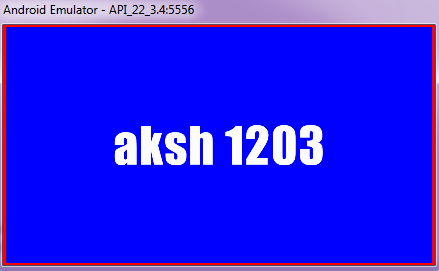
If you look at the image very closely, you will see top and bottom red borders are slightly cropped.
What I am doing in CustUtils.cpp is find out Aspect Ratio.
432 * 240 AR = 1.8
800 * 480 AR = 1.66
My default image AR or CustUtils.cpp’s default AR (1280 * 720) = 1.77
Now based on AR comparison, I am trying to scale the image just to avoid black bars.
On 800 * 432(lower AR than 1.77) cropping will be done based on width, since width is bigger. And 432 * 240(greater AR than 1.77) cropping will be done based on height since height is bigger. Both after scaling.
Truly AppDelegate.cpp needs overhaul. It’s way too much confusing.