I’m currently using this function to load a spriteFrame:
public static loadIcon(category: string, text: string): Promise<SpriteFrame | null> {
        const iconPath = `Icons/${category}/${text}/spriteFrame`;
        return new Promise((resolve) => {
            resources.load(iconPath, SpriteFrame, (err, sprite) => {
                if (err) {
                    console.error(`Failed to load icon at path: ${iconPath}`, err);
                    resolve(null);
                } else {
                    resolve(sprite);
                }
            });
        });
    }
I have the resources folder added inside assets, and it looks like this:
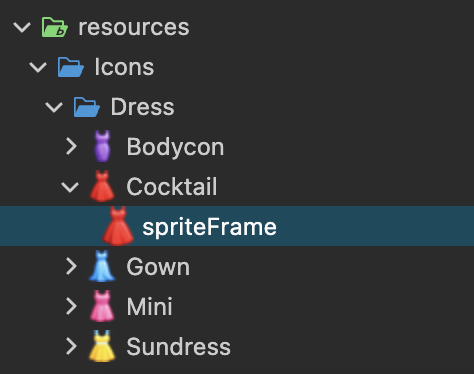
However, I still get the following error message when trying to load them:
“Error: Bundle resources doesn’t contain Icons/Dress/Cocktail/spriteFrame”
What am I doing wrong?
EDIT:
Closing Cocos, deleting the folders library and temp from the project and reopening it seems to do the trick. But surely there’s something else I can do right? It sounds ridiculous having to do this every time I change the Icons I need in resources, no?