Cocos Creator 3.5.1 Release Note
V3.5.1 adds two far-reaching experimental features without affecting the stability of the original functionality of V3.5.0. The first is the Smart Material Conversion which permit to import DCC default materials from FBX, restoring the materials and appearance created by artist in various DCC tools. The second is a series of built-in Surface Shader material resources, which will be the cornerstone of material customization in the future. In addition, we have shipped with this version a series of critical fixes, experience optimizations, and numerous documentation optimizations. We strongly recommend that all 3.x users upgrade.
Important Updates
Experimental: FBX Smart Material Conversion
FBX Smart Material Conversion is a feature in the model importer that assists in converting materials. It maps some of the standard materials exported from various DCC tools directly to Cocos Creator’s built-in materials, restoring as much as possible the material effects seen by the artist in the DCC tools. This feature supports some of the standard materials in mainstream DCC tools: 3ds Max, Blender, Maya, C4D.
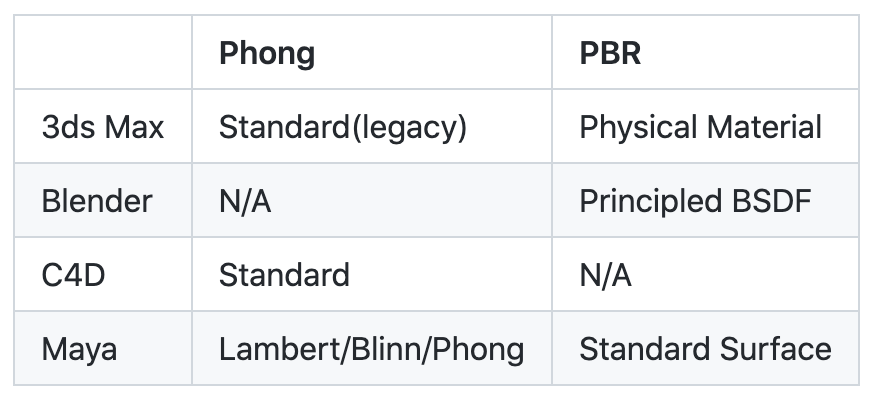
You can compare the effect of the Standard Surface material in Maya after importing it into Cocos Creator:

Appearence in Maya tools

Appearence in Cocos Creator after turning on FBX Smart Material Conversion
For more information on how to use this feature, please refer to the usage documentation.
We will also continue to optimize the model and material import experience in 3.6, so stay tuned.
Experimental: New Surface Shader
Since version 3.0, many developers have experienced the problem of materials not working properly during the upgrade process and need to migrate. The root cause of this problem is that the engine’s lighting model and surface material calculations are being adjusted along the way, which affects all related material effect codes and also affects the compatibility of these materials when reused by users.
In order to improve the compatibility of the material system, we have added a series of Surface Shader resources that abstract the lighting model and surface material calculations in the engine, so that future developers can use these built-in headers and functions to greatly simplify the effect resources they write. At the same time, due to the abstraction, cross-version compatibility will also be more secure.
Please refer to the usage documentation for more details on the use of Surface Shader.
Documentation optimization
In v3.5.0, we updated the API documentation page with a new version, which was well received by developers with some important feedbacks. In v3.5.1, we continued to do a lot of documentation checks, with nearly 40 PRs to further complete some remaining API documentation and fix some documentation errors. We hope to bring developers a better and better documentation experience.
Important fixes
-
Fix the problem of slow preview speed on browsers
-
Fix the problem that the preview is not available on Mobile Safari.
-
Fix the problem that some materials cannot be upgraded automatically from 3.4.2 or lower version
-
Fix the possible error and performance problem of 3D particle system when switching states
-
Fix the light and shadow effects of deferred pipeline.
Detailed Updates
-
[FEATURE] Add smart material conversion for FBX importer
-
[FEATURE] add experimental surface shader (engine#11048)
-
[OPTIMIZE] change camera settings to orthogonal type in 2d scene templates (engine#11020)
-
[OPTIMIZE] Improve API documentations in engine
-
[OPTIMIZE] Add a new experimental import strategy in AssetDB, avoid repeative import process
-
[OPTIMIZE] Update lightmap tool LightFX
-
[OPTIMIZE] Inspector keep group display order
-
[OPTIMIZE] Improve shadowmap settings in default scene (engine#11213)
-
[OPTIMIZE] Optimize anisotropy sample (engine#11075)
-
[OPTIMIZE] Spotlight interface description change (engine#10964)
-
[OPTIMIZE] Listen WINDOW_RESIZE event by application (engine#10930)
-
[OPTIMIZE] Load libGLESv3.so by default while user choose glesv3 (engine#10941)
-
[OPTIMIZE] Allow native projects use user pre-set global cmake variables (engine#11011)
-
[OPTIMIZE] Refine MissingScript debugger (engine#10916)
-
[OPTIMIZE] Automically unfold array list when editing array length in the inspector
-
[OPTIMIZE] Optimize curve unit test (engine#10912)
-
[FIX] Fix long loading time issue
-
[FIX] Fix camera preview not working issue
-
[FIX] Fix no responding due to lock on scene scripts
-
[FIX] Fix preview issue on some browsers like Safari
-
[FIX] Fix inspector cannot create new clip under animation editing mode
-
[FIX] Fix clip list not updated after clip creation under animation editing mode
-
[FIX] Fix clip removal check under animation editing mode
-
[FIX] Fix frequent update of nodes in the animation editor
-
[FIX] Improve error handling during node data migration for animation clip
-
[FIX] Popup warning when regenerate an exist prefab asset
-
[FIX] Fix asset builder issue which cause wrong JSON group for auto-atlas asset and duplicated assets in JSON
-
[FIX] Data tolerance for animationBlendType in AnimationGraph
-
[FIX] Fix conflict after importing custom texture compression config
-
[FIX] Fix code sample issue in the template of the builder’s plugin
-
[FIX] Fix engine error caused by material switch
-
[FIX] Fix prefab data copy issue when the root node is 2d node
-
[FIX] Fix issue when copy component data from prefab instance to other prefab
-
[FIX] Fix error when AnimationGraph panel is initialized during editor startup
-
[FIX] Fix selection issue in scene editor when viewing on screen with dpr larger than 2
-
[FIX] Avoid potential infinity loop in tickInEditMode
-
[FIX] Fix error caused by empty result when dumpping node data
-
[FIX] Fix error when typing enter in the texture name field of the joint texture layout
-
[FIX] Fix builder malfunctioning after importing configurations
-
[FIX] Fix view rotation after modifying scale value of the preview window
-
[FIX] Fix part of circular reference issue by upgrading rollup to 2.37.0
-
[FIX] Fix collision matrix setup issue in project setting
-
[FIX] Fix issue that the last panel cannot be dragged in dock
-
[FIX] Circular references should cause workflow failed (engine#10841)
-
[FIX] Fix geometry-renderer in deferred pipeline (engine#10890)
-
[FIX] Fix meshBuffer checkCapacity bug (engine#10910)
-
[FIX] Remove ambient.mipmapCount (engine#10920)
-
[FIX] Fix auto-atlas test bug cause time sequence (engine#10914)
-
[FIX] Fix fog is more brighter with native engine (engine#10972)
-
[FIX] Fix android crash due to surface not ready (engine#10984)
-
[FIX] Fix pause operation fail when play and pause audio in the same frame on native platforms (engine#10990)
-
[FIX] Fix instanced model has no spot light shadow (engine#10921)
-
[FIX] Fix particle system memory issue (engine#11032)
-
[FIX] Terrain and model automatic choose lightmap shader (engine#11006)
-
[FIX] Correct render pipeline script template error (engine#10927)
-
[FIX] Fix animation mask data cannot be load from gltf (engine#11033)
-
[FIX] Fix shader migration from lower version (engine#11038)
-
[FIX] Fix subcontextview for wechat platform (engine#11049)
-
[FIX] Fix notifySkinnedMeshRemoved (engine#11074)
-
[FIX] Fix word wrap for Vietnamese characters (engine#10925)
-
[FIX] Instantiate all FastDefined objects as value type (engine#11052)
-
[FIX] Fix format feature request for Float32 for gles3 and webgl2. (engine#11084)
-
[FIX] Fix eglSwapbuffer error due to eglSurface is not ready (engine#11083)
-
[FIX] Disable gametick after enter background(revert to logic to version 3.4.2 (engine#11095)
-
[FIX] Skip a pair of quotations for avoiding spaces when image name are detected in RichText (engine#10954)
-
[FIX] Assign underline initial value when label segments are contructed in RichText (engine#10954)
-
[FIX] Fix clear particle bug (engine#11066)
-
[FIX] Fix ndc->world with deferred shading (engine#11099)
-
[FIX] Remove enableBatch from spine/db (engine#11100)
-
[FIX] Fix deferred pipeline depth stencil with linear sampling in webgl2.0 (engine#11110)
-
[FIX] Fix multi blank lines (engine#11116)
-
[FIX] Fix ios accelerometer not working (engine#11142)
-
[FIX] Add sky.effect with surface shader (engine#11156)
-
[FIX] Fix error during particle switch (engine#11139)
-
[FIX] Change logger level (engine#10944)
-
[FIX] Don’t push data if debug is not enabled. (engine#11118)
-
[FIX] Fix physics collision matrix (engine#11181)
-
[FIX] Fix multi quotations bug and add unit tests (engine#11190)
-
[FIX] Fix light flashes at instanced model (engine#11203)
-
[FIX] Solve getInstancedModel judgment error (engine#11205)
-
[FIX] Fix prefab generates incorrect data (Repeated node) (engine#11211)
-
[FIX] Fix terrain index buffer sharing bug (engine#11206)
-
[FIX] Fix isnan(0.0) with webgl1.0 (engine#11262)
-
[FIX] Fix specular params with surface toon (engine#11265)
Downloads
Download Creator from Dashboard
Newer version of Cocos Creator are only available on the Cocos Dashboard. So please download from the links above.
Cocos Dashboard
The Cocos Dashboard serves as a unified downloader and launch portal for Cocos Creator and Cocos Creator 3D engines. Everyone can upgrade and manage multiple versions of Cocos Creator. In addition, unified project management and a creation panel is integrated, which is convenient for everyone to develop projects with different versions of engines at the same time.
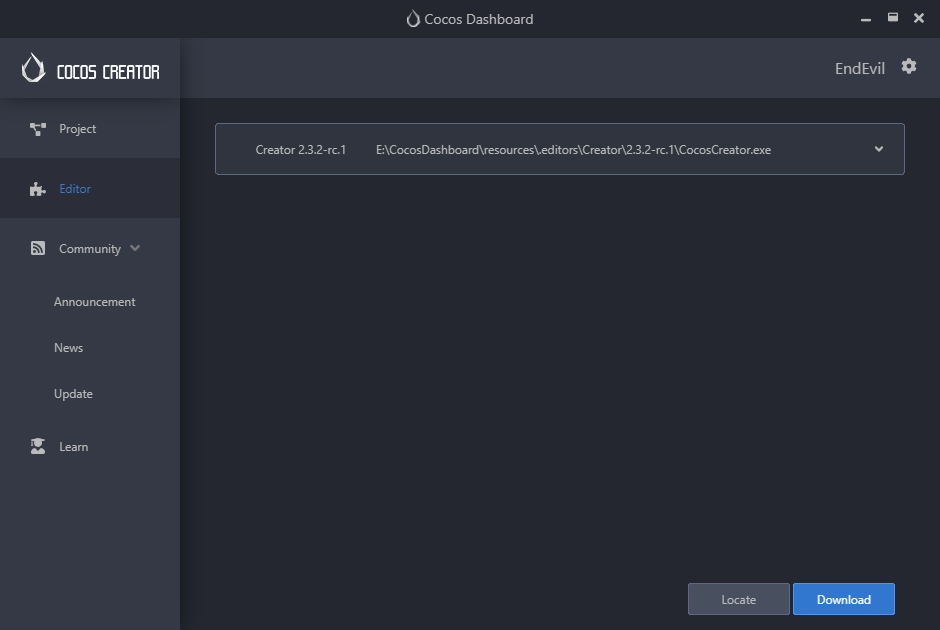
Manage projects developed under different versions:
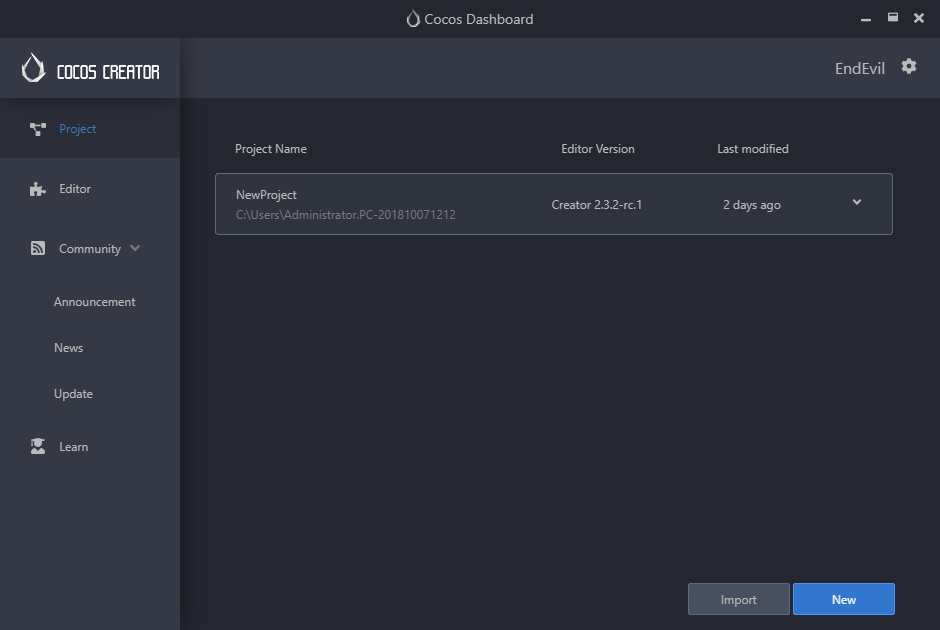
Developers can choose to use a different version of Cocos Creator when creating a new project:
