The black border is due to the fact that in the WebGL program, when drawing, the texture object’s Filter is set to gl.Linear (linear filtering), when a semi-transparent pixel is sampled adjacent to a fully transparent pixel during pixel interpolation (e.g.,(0.1)).0, 0.0, 0.0, 0.(0) of this kind) produces black or white pixels.
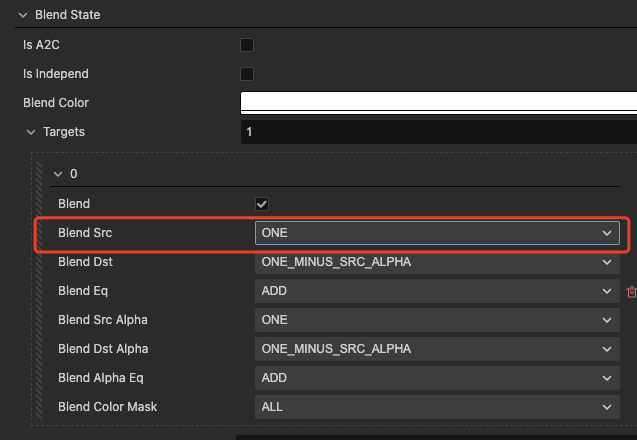
If you want to eliminate the black edges in Bilinear mode, you need to premultiply the map alpha and change the blend src of the image to ONE. Currently CocosCreator 3.X does not support this feature, so you need to use TexturePacker to do it. After importing the image into texturePacker, the Alpha Handing is selected as Premultiply alpha, and then the Extrude and padding of Sprite need to be changed to 0.
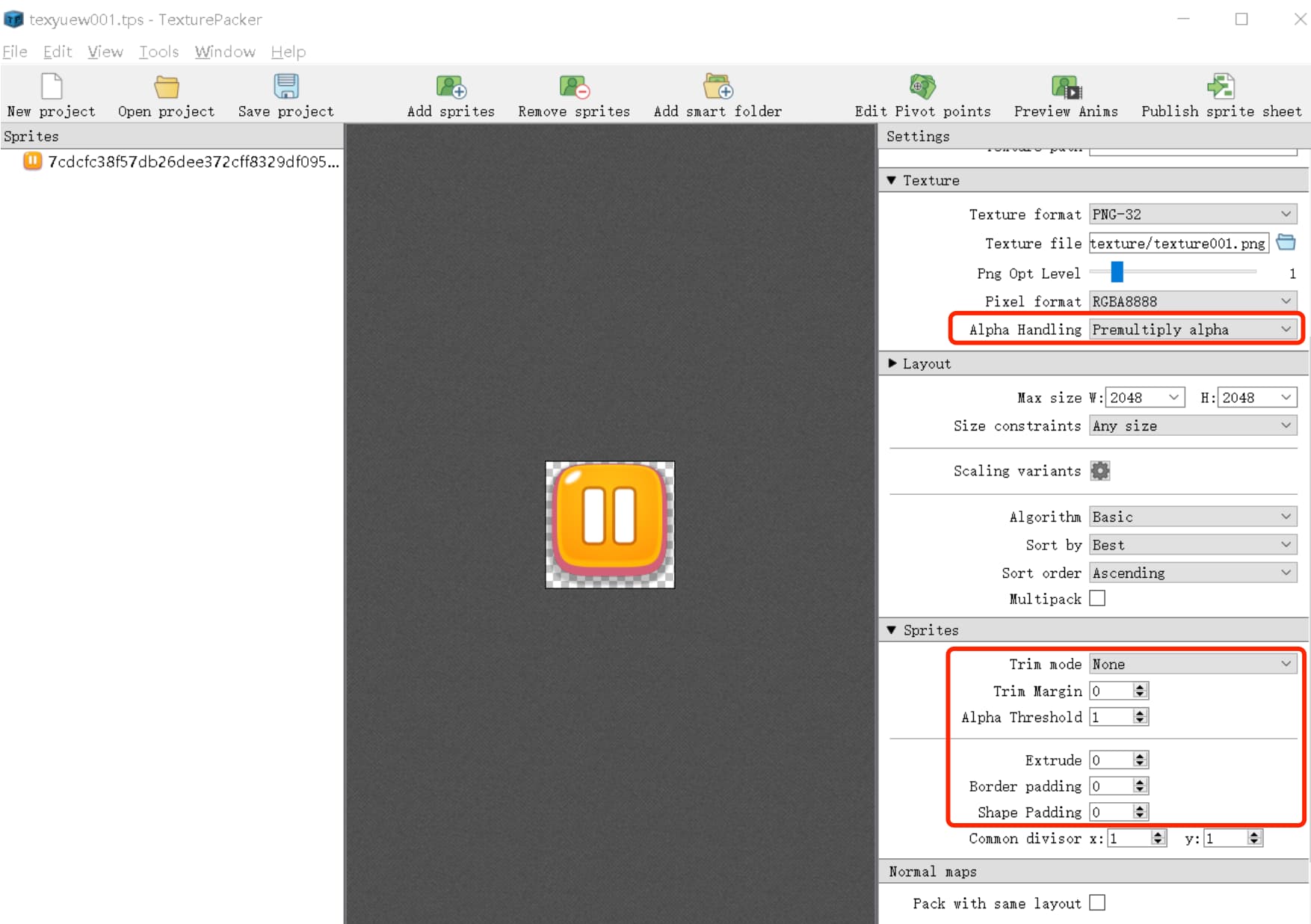
Image after export:
texture001.png.zip (8.6 KB)
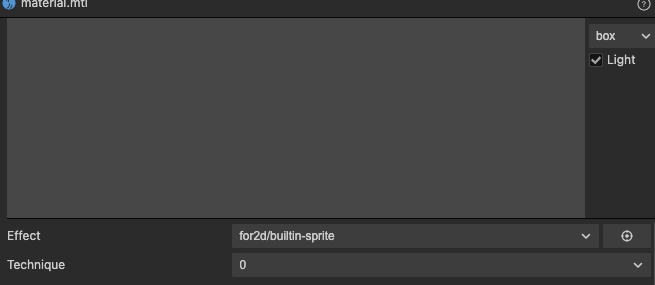
Create a new one using builtin-sprite.Material of effect
Modify Blend src in blend state to ONE
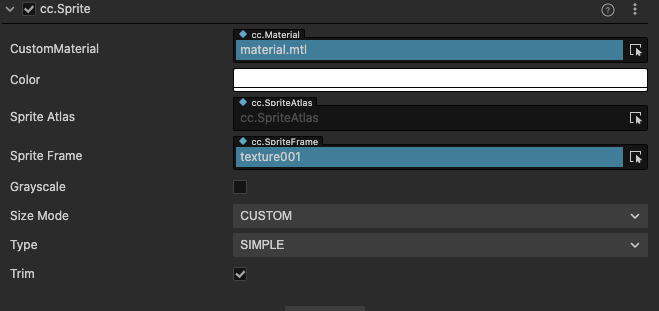
Sprite uses new images and materials:
The effect in the browser preview:

demo:
001.zip (636.5 KB)