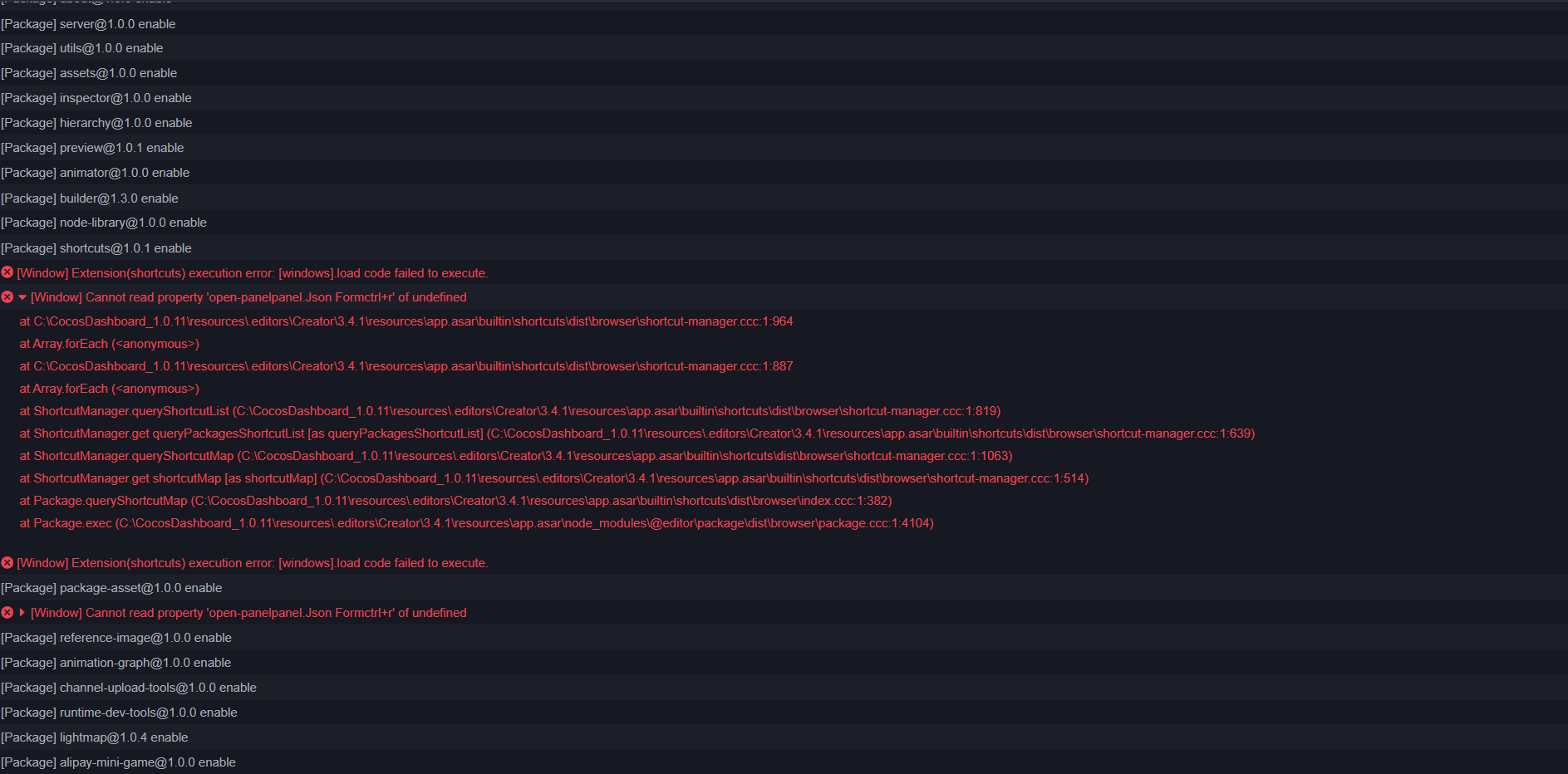
Hi, I was trying to bind a shortcut to custom extension panel but due to some editing mistake in the package file of the extension I bound an invalid message command to the shortcut. Even after fixing the mistake I always get an error when the extensions are initialized. I have attached an screen shot of the error and a screenshot of the shortcuts extension.
The name of the extension I was trying to create is : Json Form
The initial shortcut key I set up for the open-panel message was : ctrl+r
I tried removing the extension. But after removing the extension the shortcuts manager stops working. And it shows the same error. The error also pop-up in the projects that don’t have the extension installed, and in the different versions of the editor with different projects that have a shortcut manager in them. I tried removing creator dashboard and installs of the editor and reinstalling them and the problem still persists. I think it has something to do with how the data for the shortcuts extension is stored in the OS.
Do you mean that you only installed the plugin in your project, but other projects that don’t have it installed will also have this error reported? Can you show me a screenshot of your installation location?
I was finally able to resolve the issue. These are the steps I took.
Created backup for all my projects without the project settings only the assets folder.
Used a deep uninstaller to remove Cocos creator and all its dependencies and registry entries.
Remove Node js and all its modules and any other remaining files.
Reinstalled Cocos creator and created a new project. The issues was resolved.
I think removing the cocos module used to create the extension from node js should have solved the problem.