I have a Podfile in folder native/ios . How to automatically copy it to folder build/ios/proj after click build in cocos creator ?
There is a problem with using CocoaPods with CMake. Every time you regenerate the Xcode project file with cmake, the previous CocoaPods settings will be reset.
So you need to enable the option to skip Xcode project updates, and then copy the Podfile.
Copying files can be done with add_custom_commands or using the build plugin.
2 Likes
Thanks for reply. Where to put add_custom_commands code ? is it in native/engine/ios/CMakeLists.txt ? @PatriceJiang
Right
Can you write example for me when use add_custom_commands ? @PatriceJiang
add_custom_command(TARGET ${target_name} POST_BUILD
                COMMAND ${CMAKE_COMMAND} -E copy_if_different ${file_path} ${CMAKE_BINARY_DIR}/${filename}
            )
Do you mean like this ? @PatriceJiang . It’s not working
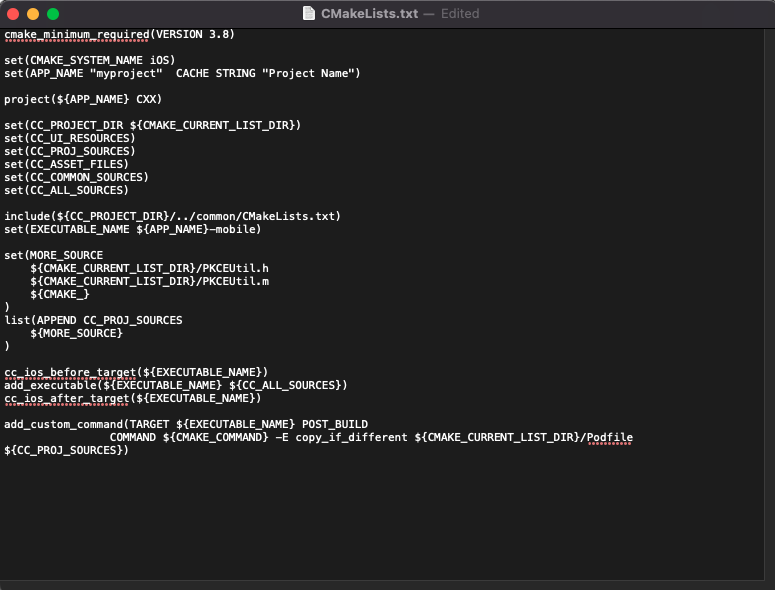
The action can be trigger after build the target with Xcode.
The copy destination is incorrect
add_custom_command(TARGET ${EXECUTABLE_NAME} POST_BUILD
                COMMAND ${CMAKE_COMMAND} -E copy_if_different  ${CMAKE_CURRENT_LIST_DIR}/Podfile ${CMAKE_BINARY_DIR}/Podfile
            )
If you need to copy file during generating the Xcode project, you can use file(COPY)
file(COPY ${CMAKE_CURRENT_LIST_DIR}/Podfile ${CMAKE_BINARY_DIR}/Podfile)
Oh. I thought it will copy podfile after i click build in cocos creator
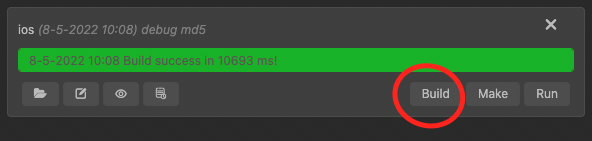
it’s failed to build. Do you mean ${CMAKE_BINARY_DIR) in this folder ?
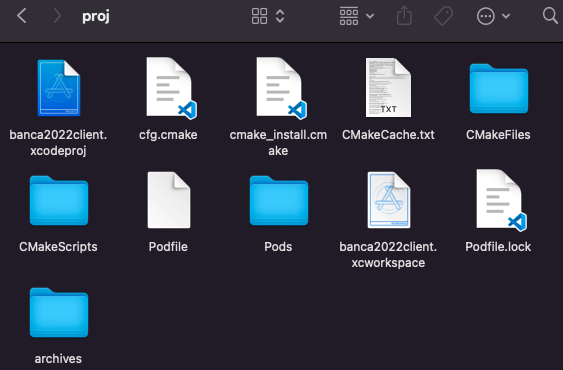
@PatriceJiang I have structure project like this
MyProject
→ native → ios → CMakeLists.txt
→ build->ios->proj
I want to copy file in native/ios to build/ios/proj after i click build in cocos creator build tool
Try this command and ignore add_custom_command, it is more complicate
file(COPY ${CMAKE_CURRENT_LIST_DIR}/Podfile DESTINATION ${CMAKE_BINARY_DIR})
1 Like
Yes, ${CMAKE_BINARY_DIR} is the build folder
1 Like
Thanks. It works