Hello community!
Just a simple question, there is any way to run my game on my android and see console.log messages on creator’s console? thanks
Hello community!
Just a simple question, there is any way to run my game on my android and see console.log messages on creator’s console? thanks
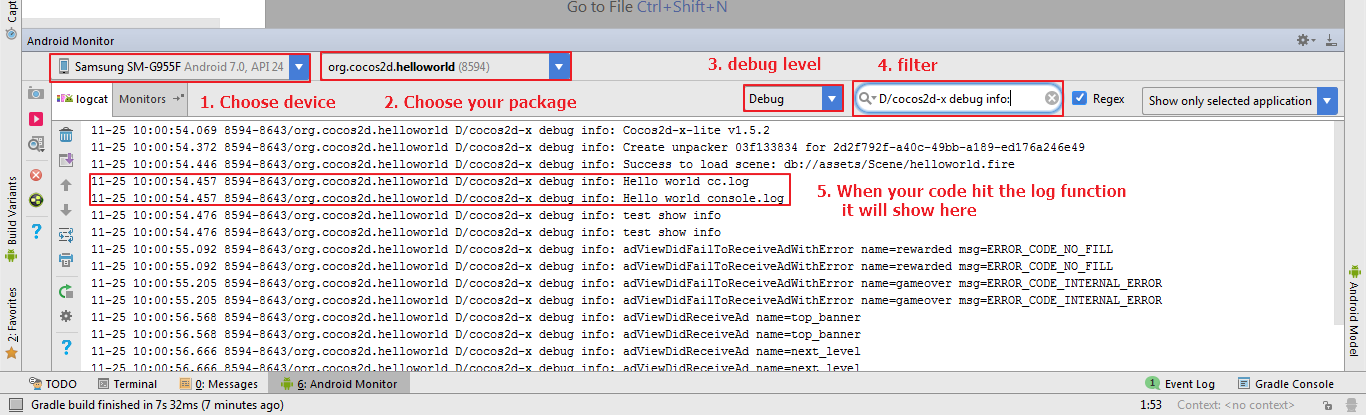
I don’t think that is possible in creator’s console. But you can archive that in Android Studio.
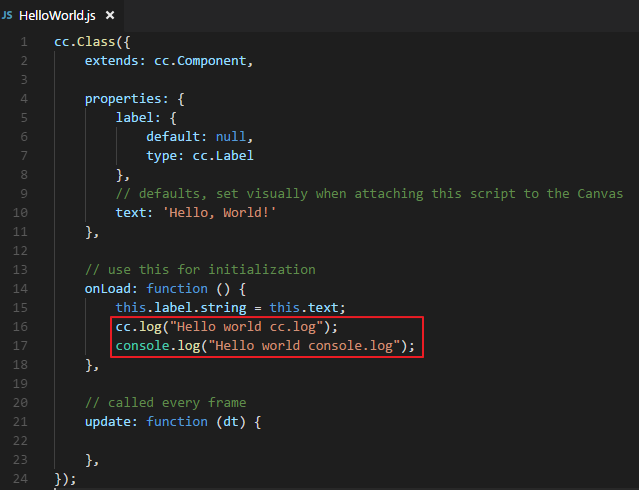
You can use either.
cc.log("Hello world cc.log");
console.log("Hello world console.log");
Then follow this steps.
Example
thats solve my problem, thanks 
i’m curious about, cocos creator has through wifi test feature or easier way to test games on mobile?
or maybe do you have a workflow for mobile development?
thanks
You should ask that in another topic. I think.
I’ll do that, thanks