Hi all!
A very interesting situation. On the one hand, there were no problems in old versions of the browser, on the other hand, I have news.
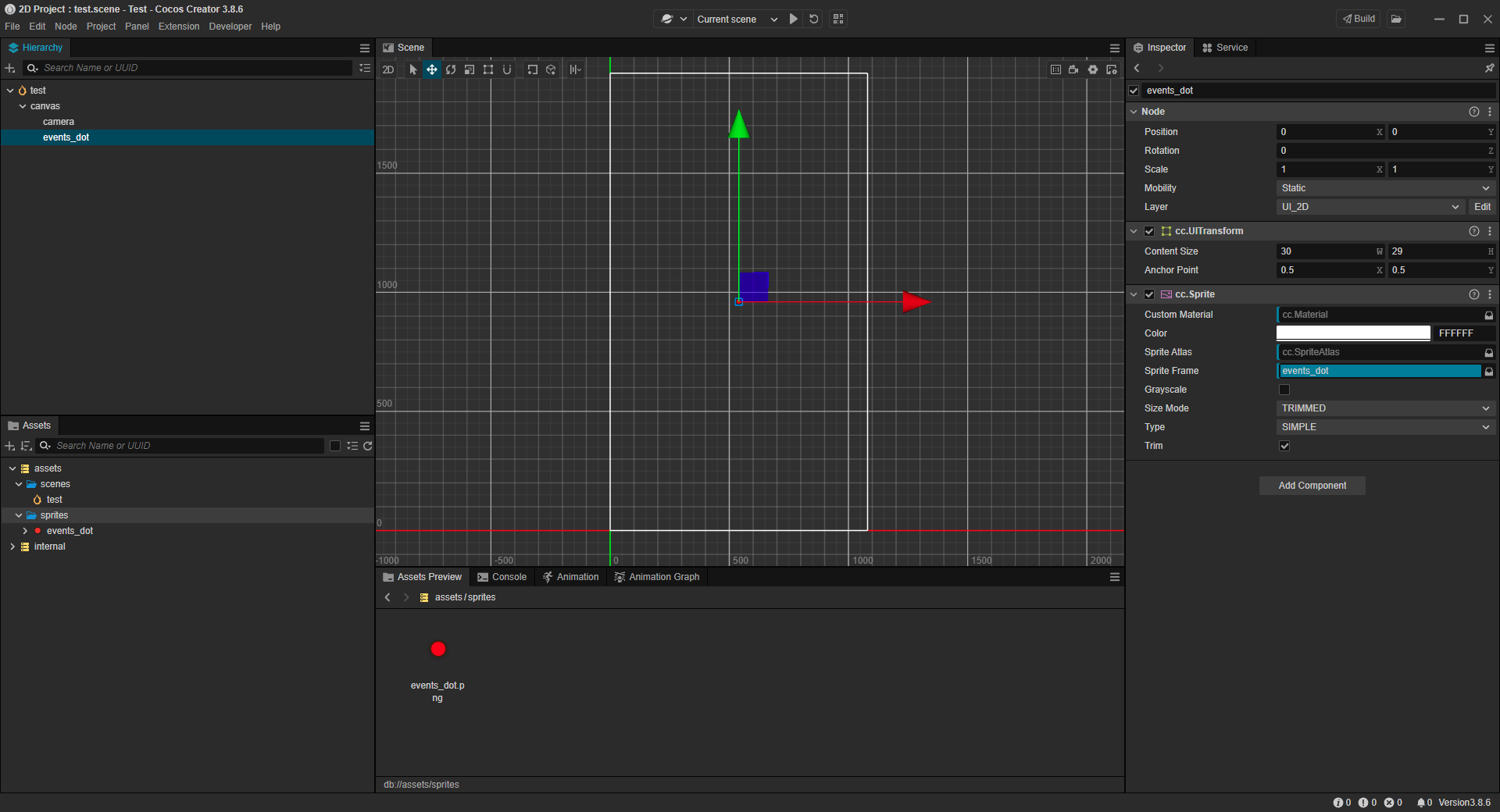
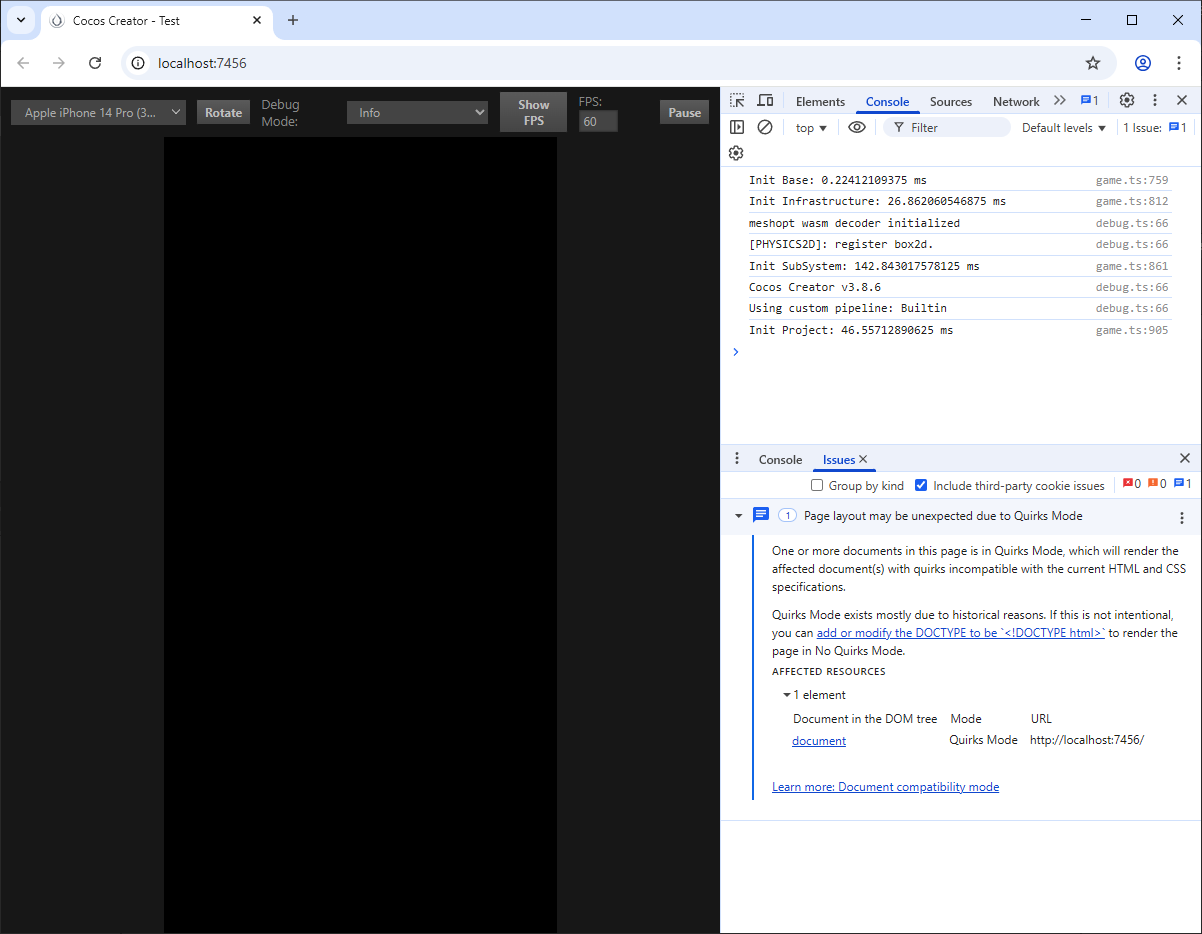
As I said, most sprites are not displayed when running the game in the desktop version of the browser. I decided to focus on one specific sprite that wasn’t showing up.
Created a new 2D project version 3.8.6. Using Drag and Drop, I moved the sprite I was interested in from the main project folder to the Assets of the new project. Looking ahead, I will say that in this way Cocos Creator also copied the .meta file itself (even though I did not move it). I place the sprite in the middle of the Canvas and launch the project in the browser. The sprite is not visible.
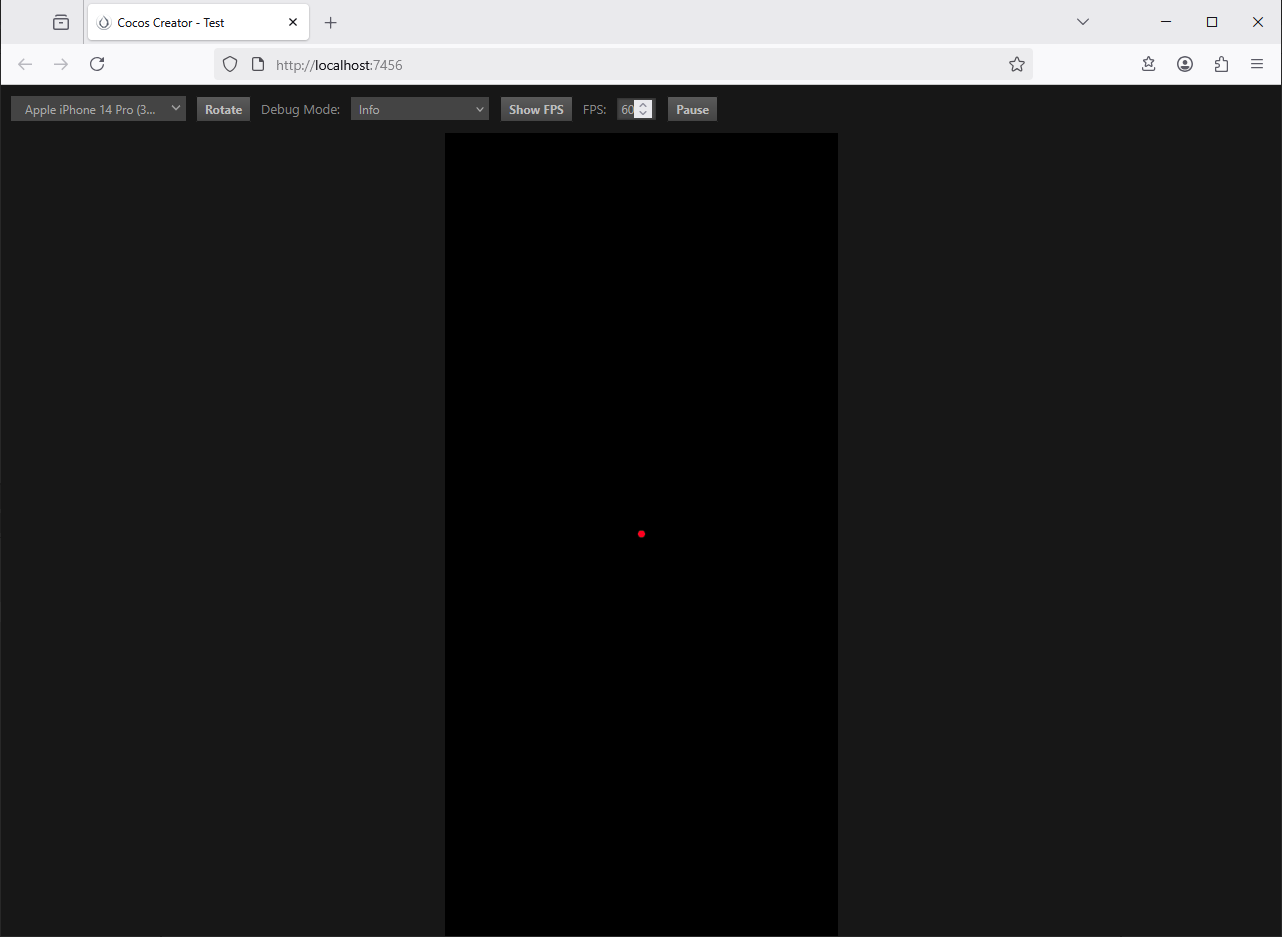
I remove the sprite from the scene and from Assets. I copy this sprite into the folder (not via Drag and Drop), so now a new meta file is created when I switch to Cocos Creator. I place the sprite in the middle of the Canvas and launch the project in the browser. The sprite is visible. Compared .meta files when the sprite is visible and when it is not visible. I did not find any differences that could explain this behavior.
Here is the .meta file from the visible sprite:
{
  "ver": "1.0.27",
  "importer": "image",
  "imported": true,
  "uuid": "e16a8756-3609-426a-82cf-33d00a00b57a",
  "files": [
    ".json",
    ".png"
  ],
  "subMetas": {
    "6c48a": {
      "importer": "texture",
      "uuid": "e16a8756-3609-426a-82cf-33d00a00b57a@6c48a",
      "displayName": "events_icon",
      "id": "6c48a",
      "name": "texture",
      "userData": {
        "wrapModeS": "clamp-to-edge",
        "wrapModeT": "clamp-to-edge",
        "imageUuidOrDatabaseUri": "e16a8756-3609-426a-82cf-33d00a00b57a",
        "isUuid": true,
        "visible": false,
        "minfilter": "linear",
        "magfilter": "linear",
        "mipfilter": "none",
        "anisotropy": 0
      },
      "ver": "1.0.22",
      "imported": true,
      "files": [
        ".json"
      ],
      "subMetas": {}
    },
    "f9941": {
      "importer": "sprite-frame",
      "uuid": "e16a8756-3609-426a-82cf-33d00a00b57a@f9941",
      "displayName": "events_icon",
      "id": "f9941",
      "name": "spriteFrame",
      "userData": {
        "trimThreshold": 1,
        "rotated": false,
        "offsetX": 0,
        "offsetY": 0,
        "trimX": 5,
        "trimY": 5,
        "width": 162,
        "height": 131,
        "rawWidth": 172,
        "rawHeight": 141,
        "borderTop": 0,
        "borderBottom": 0,
        "borderLeft": 0,
        "borderRight": 0,
        "packable": true,
        "pixelsToUnit": 100,
        "pivotX": 0.5,
        "pivotY": 0.5,
        "meshType": 0,
        "vertices": {
          "rawPosition": [
            -81,
            -65.5,
            0,
            81,
            -65.5,
            0,
            -81,
            65.5,
            0,
            81,
            65.5,
            0
          ],
          "indexes": [
            0,
            1,
            2,
            2,
            1,
            3
          ],
          "uv": [
            5,
            136,
            167,
            136,
            5,
            5,
            167,
            5
          ],
          "nuv": [
            0.029069767441860465,
            0.03546099290780142,
            0.9709302325581395,
            0.03546099290780142,
            0.029069767441860465,
            0.9645390070921985,
            0.9709302325581395,
            0.9645390070921985
          ],
          "minPos": [
            -81,
            -65.5,
            0
          ],
          "maxPos": [
            81,
            65.5,
            0
          ]
        },
        "isUuid": true,
        "imageUuidOrDatabaseUri": "e16a8756-3609-426a-82cf-33d00a00b57a@6c48a",
        "atlasUuid": "",
        "trimType": "auto"
      },
      "ver": "1.0.12",
      "imported": true,
      "files": [
        ".json"
      ],
      "subMetas": {}
    }
  },
  "userData": {
    "type": "sprite-frame",
    "hasAlpha": true,
    "fixAlphaTransparencyArtifacts": false,
    "redirect": "e16a8756-3609-426a-82cf-33d00a00b57a@6c48a"
  }
}
And here is the .meta file from the invisible sprite:
{
  "ver": "1.0.27",
  "importer": "image",
  "imported": true,
  "uuid": "690d61f5-ae26-4d9f-9b3e-caaf70929147",
  "files": [
    ".json",
    ".png"
  ],
  "subMetas": {
    "6c48a": {
      "importer": "texture",
      "uuid": "690d61f5-ae26-4d9f-9b3e-caaf70929147@6c48a",
      "displayName": "events_icon",
      "id": "6c48a",
      "name": "texture",
      "userData": {
        "wrapModeS": "clamp-to-edge",
        "wrapModeT": "clamp-to-edge",
        "imageUuidOrDatabaseUri": "690d61f5-ae26-4d9f-9b3e-caaf70929147",
        "isUuid": true,
        "visible": false,
        "minfilter": "linear",
        "magfilter": "linear",
        "mipfilter": "none",
        "anisotropy": 0
      },
      "ver": "1.0.22",
      "imported": true,
      "files": [
        ".json"
      ],
      "subMetas": {}
    },
    "f9941": {
      "importer": "sprite-frame",
      "uuid": "690d61f5-ae26-4d9f-9b3e-caaf70929147@f9941",
      "displayName": "events_icon",
      "id": "f9941",
      "name": "spriteFrame",
      "userData": {
        "trimThreshold": 1,
        "rotated": false,
        "offsetX": 0,
        "offsetY": 0,
        "trimX": 5,
        "trimY": 5,
        "width": 162,
        "height": 131,
        "rawWidth": 172,
        "rawHeight": 141,
        "borderTop": 0,
        "borderBottom": 0,
        "borderLeft": 0,
        "borderRight": 0,
        "packable": true,
        "pixelsToUnit": 100,
        "pivotX": 0.5,
        "pivotY": 0.5,
        "meshType": 0,
        "vertices": {
          "rawPosition": [
            -81,
            -65.5,
            0,
            81,
            -65.5,
            0,
            -81,
            65.5,
            0,
            81,
            65.5,
            0
          ],
          "indexes": [
            0,
            1,
            2,
            2,
            1,
            3
          ],
          "uv": [
            5,
            136,
            167,
            136,
            5,
            5,
            167,
            5
          ],
          "nuv": [
            0.029069767441860465,
            0.03546099290780142,
            0.9709302325581395,
            0.03546099290780142,
            0.029069767441860465,
            0.9645390070921985,
            0.9709302325581395,
            0.9645390070921985
          ],
          "minPos": [
            -81,
            -65.5,
            0
          ],
          "maxPos": [
            81,
            65.5,
            0
          ]
        },
        "isUuid": true,
        "imageUuidOrDatabaseUri": "690d61f5-ae26-4d9f-9b3e-caaf70929147@6c48a",
        "atlasUuid": "",
        "trimType": "auto"
      },
      "ver": "1.0.12",
      "imported": true,
      "files": [
        ".json"
      ],
      "subMetas": {}
    }
  },
  "userData": {
    "type": "sprite-frame",
    "hasAlpha": true,
    "fixAlphaTransparencyArtifacts": false,
    "redirect": "690d61f5-ae26-4d9f-9b3e-caaf70929147@6c48a"
  }
}
What’s wrong here? And it’s very interesting how it happens that old versions of the browser display everything normally?
It would be awful if I had to delete all the sprites and add them again, and then set them up in each prefab. Moreover, where is the guarantee that it won’t break again. Why could this even happen?