A parameter that would allow you to change the canvas (or render?) scale would be very helpful in optimizing/adapting to different screens and hardware.
Calling different methods from cc.view for downgrading resolution doesn’t seem to give any results and the canvas always adapts depending on the devicePixelRatio which I can’t change.
Is there any solution now that I’m missing?
I solve this problem by changing the window.deviceRatioValue
window.devicePixelRatio = x
Just to make sure the code run before the application started. Personally I put it in the html, before scripts being imported.
1 Like
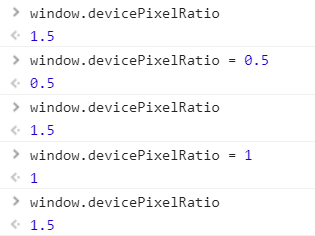
It seems to work on my PC, but it doesn’t work on the target device (LG TV, WebOS, chromium ~53).
window.devicePixelRatio for read only there?
Here is a workaround that seems to work
(() => {
      let devicePixelRatio = 1;
      Object.defineProperty(window, 'devicePixelRatio', {
        get: () => devicePixelRatio,
        set: (value) => {
          console.log('devicePixelRatio set to', value);
          devicePixelRatio = value;

          // trigger cc.view resize to apply the new DPR
          if(window.cc && cc.view){
            const canvasSize = cc.view.getCanvasSize();
            cc.view._updateAdaptResult(canvasSize.width, canvasSize.height);
          }
        },
        configurable: true,
      });
    })();
1 Like
Nice hack.
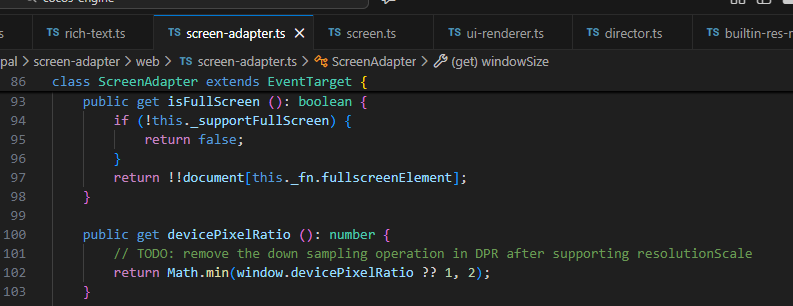
After more inspecting the doc. There is a screen.windowSize api you can use. But I think the most direct way to fix this is customize the engine. Try to update this get devicePixelRatio function