Portal: Cocos Store
Introduction
Provides the same functionality as Unity’s ScriptableObject
Convenient for configuring complex structured data, facilitating collaboration, and referencing other resources
Just like configuring prefab component data normally, but without the need for nodes or attaching components
Tested Platforms
| H5 | WeChat Mini Game | Android Native | iOS Native | TikTok Mini Game | OPPO Mini Game | vivo Mini Game |
|---|---|---|---|---|---|---|
 |
|
|
|
|
|
|
Features and Planning
-
Custom ScriptableAsset Types
-
Preview and Edit
-
Drag and Drop Assignment to Component Fields (Recognition of Specified Custom ScriptableAsset Types)
-
Add Right-Click Creation Button Using Decorators
-
Compatible with 3.7.x
-
Test on more publishing platforms
-
Support for Search
-
Support for Custom ScriptableAsset Inspector
Usage
Example Project
Gitee scriptableasset_example
GitHub scriptableasset_example
Creation
Automatically added to the right-click menu, create custom type data files
ps: You need to copy the example script template to your project:
.creator\asset-template\typescript\ScriptableAssetScriptTemplate.
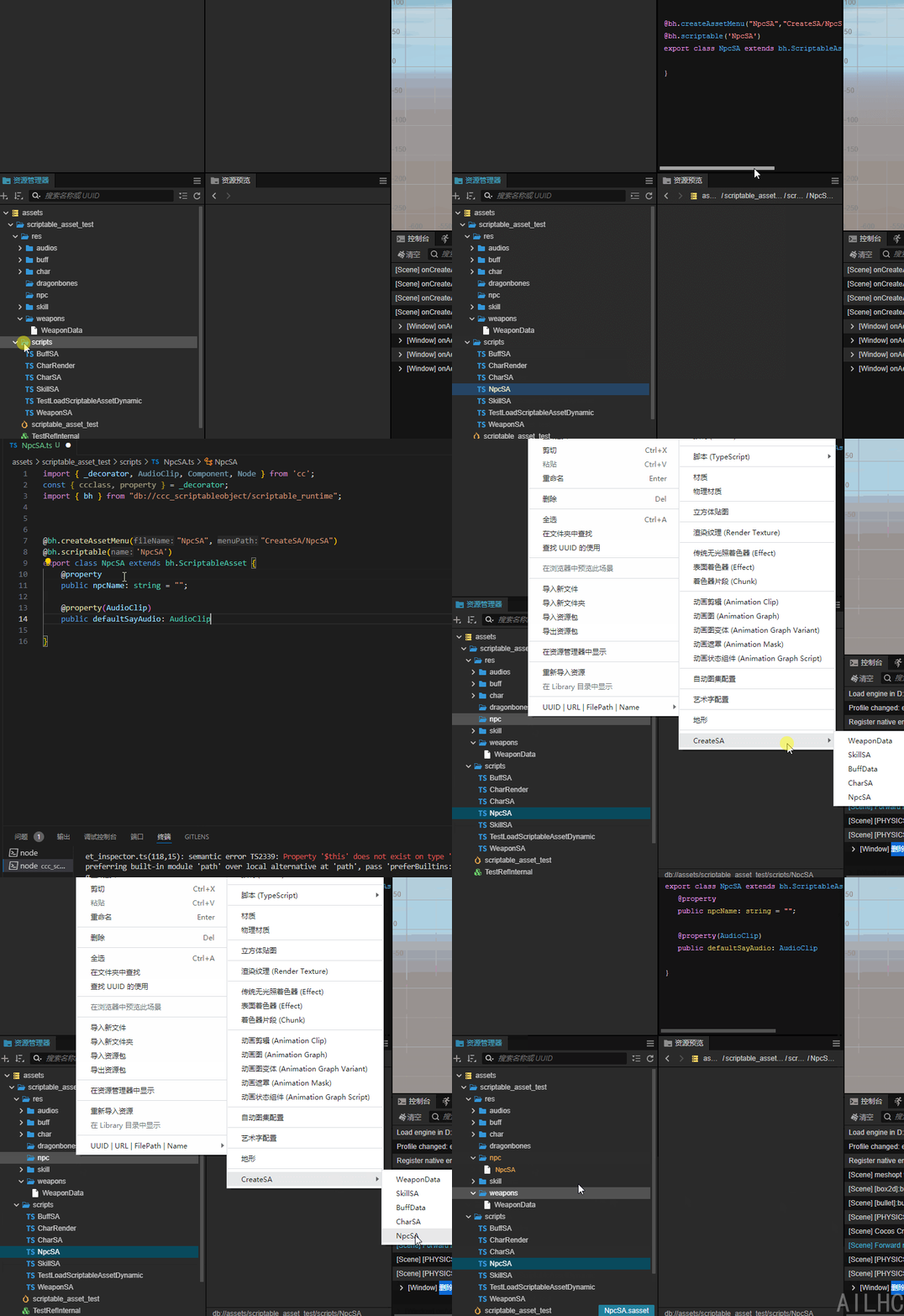
Visual Configuration Modification
Modifying configuration is the same as modifying the field data of a Component
Any property decorator provided by CocosCreator can be used
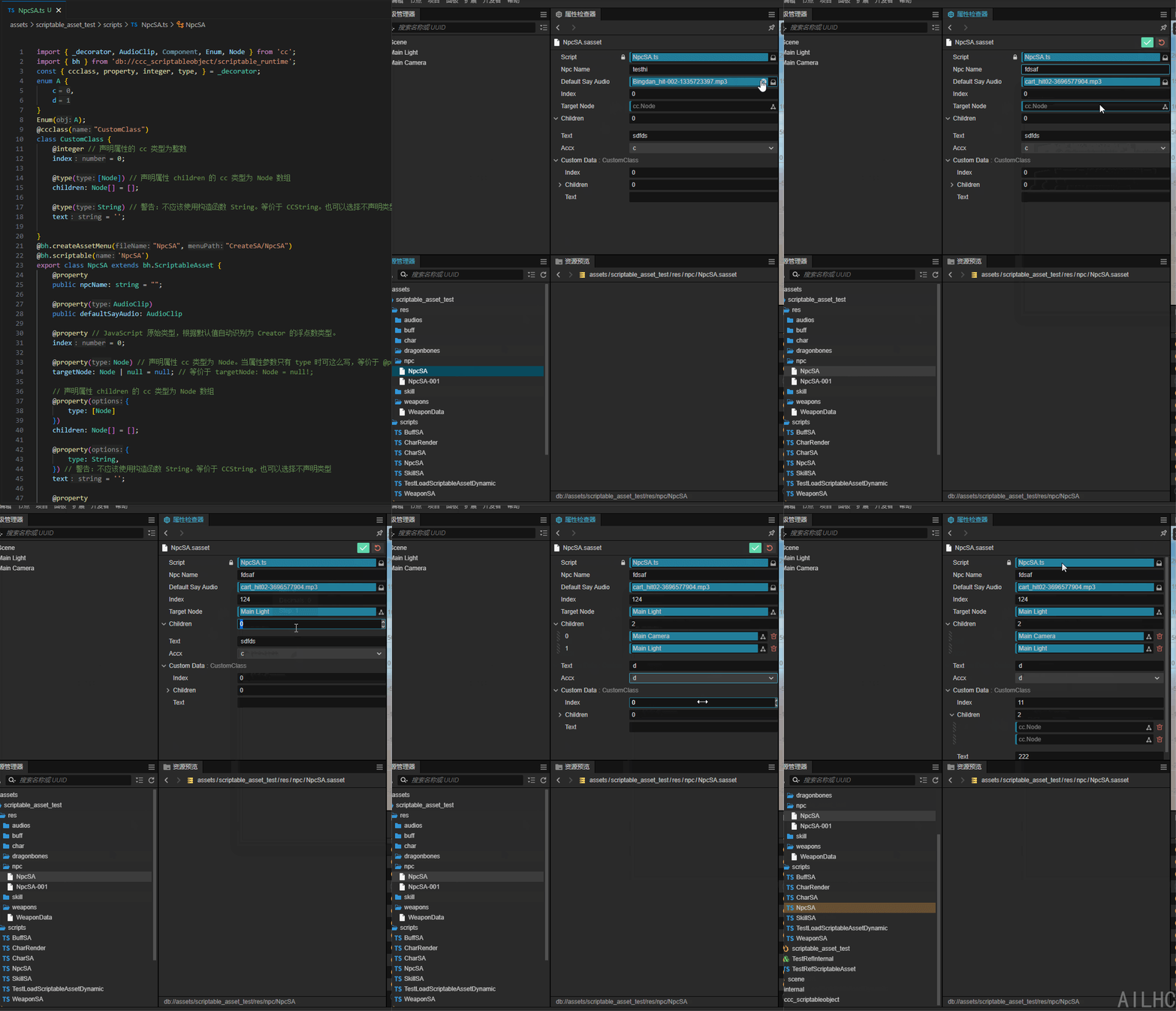
For more usage: Cocos Creator 3.8 Manual - Decorator Usage
Referencing and Loading
Just like other resources (cc.Prefab, cc.AudioClip, etc.), reference and load
Referenced
import { _decorator, Component, Node } from 'cc';

import { bh } from 'db://scriptable-asset/scriptable_runtime';

import { CharSA } from './scripts/CharSA';

import { CharRender } from './scripts/CharRender';

const { ccclass, property } = _decorator;

@ccclass('TestRefScriptableAsset')

export class TestRefScriptableAsset extends Component {


    @property(CharRender)

    charRender: CharRender;

    @property(CharSA)

    charData: CharSA;

    start() {

        console.log(this.charData.charName);

        this.charRender.setCharAsset(this.charData);

    }

    update(deltaTime: number) {

    }

}
Interface
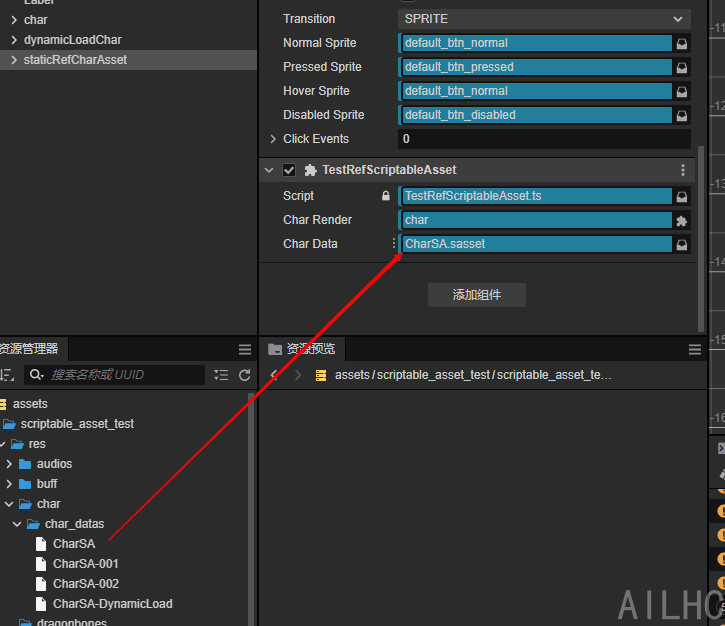
Dynamic Loading
import { _decorator, assetManager, Component, director, Node } from 'cc';

import { CharRender } from './CharRender';

import { CharSA } from './CharSA';

const { ccclass, property } = _decorator;

@ccclass('TestLoadScriptableAssetDynamic')

export class TestLoadScriptableAssetDynamic extends Component {

    /**

     *

    */

    @property(CharRender)

    charRender: CharRender = null;

    @property

    assetPath: string = "char/char_datas/CharSA"

    start() {

    }

    update(deltaTime: number) {

    }

    loadScriptableAsset() {

        assetManager.loadBundle('scriptable_asset_test_res', (err, bundle) => {

            if (err) {

                console.error(err);

                return;

            }

            bundle.load(this.assetPath, (err, asset:CharSA) => {

                if (err) {

                    console.error(err);

                    return;

                }

                console.log(asset);

                this.charRender.setCharAsset(asset);

            });

        });

    }

}
Known Issues
-
Custom classes that are decorated with the
ccclassdecorator and do not inherit fromComponent, such asCustomClass, require an initial value to be assigned. -
Using a specific
ScriptableAssettype may cause the field assignment’s adjacent search functionality to not return any results. It is necessary to use the base classScriptableAssetas the type for the field decorator, or to use@bh.scriptableAssetdirectly for marking.@bh.scriptableAsset charData: CharSA; -
Deleting the
ScriptableAssetscript will cause dependent locations to display asUnknownType. After restoring the script, restarting the editor will resolve the issue.
Other Works
-
Editor Console Enhancer Plugin EditorConsoleEnhancer
-
Makes your 5000+ resource project development as light and smooth as a swallow. Aswallow
-
[Perfect TypeScript Plugin Template]Cocos Store