What technique do you use for 2D animation : (frame animation / spine-bone animation) ?
If you use spine animation, can you please tell which tool do you use or some tool which is free to use and is is compatible with cocos2d-x ? I know this tool http://esotericsoftware.com/ but it’s too much costly for me.
One other tool I know is Spriter. I’ve googled also but I just wanted to ask you opinion also. I’ve interest in learning and use cool simple animation for my game.
I’m currently trying out Dragon Bones, since I needed bones and meshes. Only problem with the tool is that it uses Chinese/Japanese at some parts which I don’t understand. I’ve just only started learning it.
Looks like, DragonBones is the only free competitive solution against Spine. Any idea if DragonBones and DragonBones pro same? Because it looks like they’ve 2 name but both are same.
Yes, they look similar, and apart the language i think features are up the same, but i cannot say for sure.
Anyway i don’t know of any other free alternative…
Never mind… I think Dragon Bones is fine. I was wondering if the support with cocos2d-x of it is good. Currently, I am just getting my hands on. After that I’ll be trying with cocos2d-x.
Do you have any prior experience of using DragonBones and integration with cocos2d-x?
@crittergorge
I’m using texture packer to export texture atlas and want to import in DragonBones. But DragonBones doesn’t seem to read .json / .xml format from texture packer.
Can you please tell me how to make it work if you’ve used it before?
I’m the author of DragonBones (DB).
DragonBones is 2D skeletal animation solution.
It contains:
DB Pro - a standalone animation editor.
DB DesignPanel - a Flash Pro plugin that can export flash animation to DB animation.
DB runtimes for different languages and engines (C++: cocos2d-x ; C#: Unity; TS/JS: Egret; AS3: Flash; …)
DB Pro don’t support import texture atlas from textrue packer unless you install a Texturepacker DB plugin (developed by 3td party). But still I suggest you drag images directly to import.
The screenshot you took is “Import Data” feature instead of import image. If you have a animation data exported by DragonBones or Cocos Animator or Spine, you can directly import them to DragonBones and edit.
Yeah, I saw that in Demon and Dragon’s example. I noticed that I simply have to drag and drop.
Thanks for letting me know Texturepacker DB plugin but I think, you’re correct, I should be using drag and drop.
Can you please tell if I would compulsorily have to use texture atlas exported by DragonBones?
I mean, is it possible ot use just the JSON animation data from DB and rest Texture Atlas and Texture data, I want to use from TexturePacker
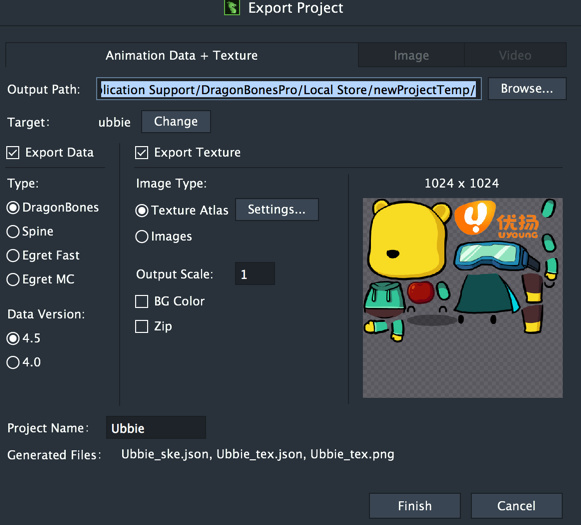
I noticed that the texture packer results in smaller size of texture atlas than what DragonBones export it.
Example: Check that there is empty space at the bottom of atlas sheet being packed by DB.
But Texturepacker doesn’t necessary pack in form of square (1024 x 1024).