Hi all!
I am using Cocos Creator version 3.8.8.
Given my experience developing with the Unity game engine, I’d like to ask: is it a good idea to use Layout (including Widget) components at runtime in Cocos Creator? Or should it be avoided at all costs? This applies primarily to mobile platforms: web, mobile, and Android.
Let’s assume there is a button:
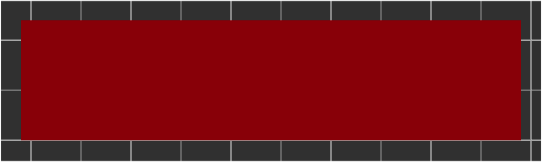
I need to place 3 elements on it: text, an icon and another text:
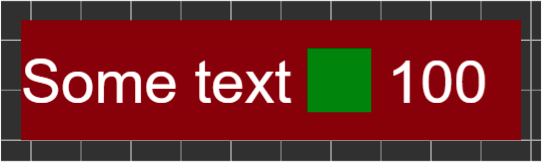
First, of course, the elements would need to be aligned. Second, I’d like to consider two possible use cases. Both texts can be arbitrary and changed at runtime.
Case 1. If the sum of the widths of the first text, icon, and second text is greater than the width of the button itself, then the size of all three of these elements should be reduced. In general, from this:
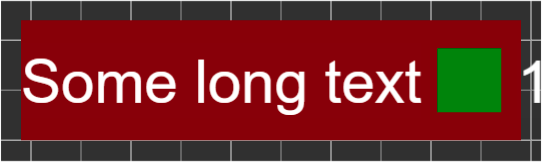
It turned out something like this:
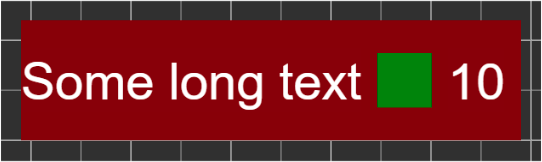
Is it possible to implement this using only built-in components, without any lines of code? It seems not.
Case 2. Only the first text should change size. Something like this:
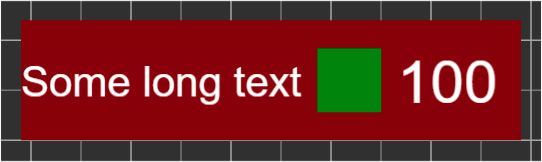
Again, is it possible to implement this using only built-in components, without writing any code? It seems not.
Now about the code. The documentation says:
Note : if the Layout 's configuration is set in runtime, the results need to be updated until the next frame, unless you manually call
updateLayoutAPI.
I wrote some code that tries to get the new size of a Label when new text is entered into it. Of course, if I change the text and immediately take the size, then I will have the old size. I try to wait for the next frame. The size is old. So I wait for another frame. And then I manage to get the new size. I did something similar, but enclosed the Label in a Layout that adjusts its size to its children. I was only able to get the new size after three frames. Result:
- Label: +2 frames
- Layout: +3 frames
How reliable can I rely on this data? That is, the Label size will always update every 2 frames, and the Layout size every 3 frames. Or is there some other reliable way to wait?
As an alternative: Label.updateRenderData() and Layout.updateLayout(). But I’m interested in what is more ideologically correct.
I’m also wondering if there’s a way to find out the text size without using a visual (without actually placing the Label)? Something like a function:
function calcTextSize(text: string, font: Font, fontSize: number): Size {
    // ...
}